


SEE's Michelangelo's Sistine
3.422.00 Reviews
App Specs
- Version
- 3.0.0
- Updated On
- License
- Free
- Downloads
- 50,000+
- Developer
- Venkata Reddy G
- Categories
- Events
- Platform
- Android
Screenshots


 Analysis by AppCompare
I’d treat SEE’s Michelangelo’s Sistine as a focused companion for looking at one celebrated work, rather than as a general art-history app. That narrow purpose is its best reason to exist: it can give a visit to Michelangelo’s Sistine Exhibition more context, while also offering a way to look closely when you are away from the exhibition. I like the idea, but I’d keep expectations grounded. A phone guide can help me notice details and follow an explanation; it cannot replace the scale, atmosphere, or sustained looking of seeing art in person.
A companion for a particular art experience
This is an events app by Venkata Reddy G, built around the exhibition rather than a broad collection of artists or museums. That distinction matters when deciding whether it belongs on your phone. If you are planning to see the exhibition, the app’s subject gives it a clear role: it can serve as a companion to the art, helping turn a quick look into a more attentive visit. If you are looking for a general guide to Renaissance art, you may be better served by a wider museum or art-history resource.
I’d also think about when to use it. A useful approach is to open it before a visit and spend a few minutes getting oriented, then return to the relevant explanations after looking at the artwork yourself. Reading everything while standing in front of an image can pull your attention away from the image; alternating between looking and reading is more likely to make both parts stick. For someone who likes to prepare before an event, that small change in timing could make the app feel more rewarding.
How it sits beside other ways to learn
Compared with a printed exhibition leaflet, a phone companion can feel more convenient to revisit and easier to use as a personal reference. Compared with a general online search, a guide focused on this exhibition has the potential to keep your attention on the work in front of you rather than sending you down unrelated paths. Those are meaningful advantages for a short, focused visit, though they depend on the app’s explanations matching the questions you actually have.
The trade-off is that a dedicated companion has a much narrower scope than a broad art app, a museum’s full audio collection, or a book that compares different artists and periods. I would not choose it as my only resource for a course or for a deep survey of Michelangelo’s career. Its strongest use is as a bridge between the exhibition and your own curiosity, not as a substitute for every other source. If you want an expansive catalogue, a broader option will suit you better; if you want to stay close to this exhibition’s subject, the focused approach makes sense.
Small choices that improve a visit
One practical tip is to use the app with a question in mind. Before opening it, pick a detail you want to understand—how a scene is arranged, what draws your eye first, or how several parts relate—and use the guide to direct your attention rather than trying to absorb every piece of information at once. This makes a short break or a brief visit feel more purposeful, and it helps prevent the phone from becoming the main event.
It can also work well as a shared activity. A parent visiting with an older child, for example, could take turns choosing a detail to examine and then compare what each person noticed. The app gives the visit a starting point for conversation without requiring either person to know art history beforehand. For a solo visitor, the same method turns passive scrolling into a slower exercise in observation. In either case, I’d put the phone away for a moment after reading and see what remains visible without the explanation.
Worth Reading Before You Choose

EA SPORTS FC Mobile 26 Is a Bigger Football Game, but It Takes Time

Flipboard Shows What News Apps Must Do Beyond the Feed

Switching to Android Auto Means Rethinking Your Driving Routine

Google Calendar Makes a Crowded Week Easier to Manage

Ludo King Makes the Most of the Minutes Between Plans

Baby Panda World Brings Quick Play to Modern Phones, but Its Game Library Feels Busy
For someone who is going to the exhibition with limited time, I would avoid trying to cover every topic in one sitting. Choose a few parts that genuinely interest you, then leave room to look without interruption. A companion guide is most useful when it supports attention, not when it creates a checklist. That distinction is especially helpful for visitors who feel they need to “finish” an app before they can enjoy the event.
Getting Started with the App
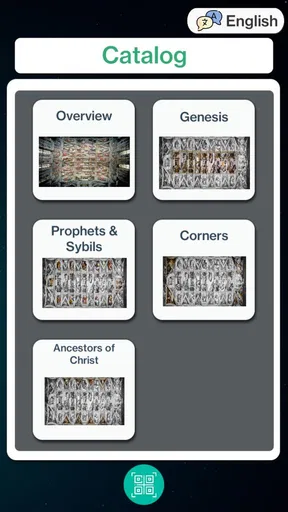
First things first, downloading SEE's Michelangelo's Sistine is a breeze. Available on both Android and iOS, you can find it easily on the Play Store or App Store. Once installed, the app greets you with a visually stunning interface. It’s like opening a window to the past, with rich colors and textures that echo the Renaissance vibe.
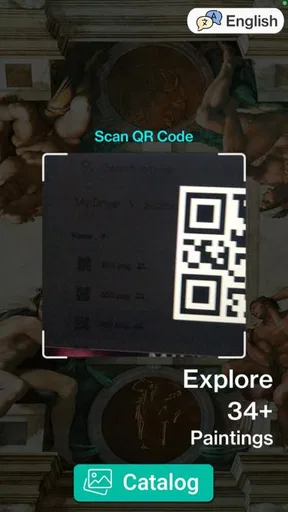
Setting up is quick. You don’t need to create an account, which is always a plus for me. You can dive right into exploring the chapel. The app provides a brief tutorial that guides you through its features. This is handy, especially if you’re not tech-savvy. The navigation is intuitive, making it easy to jump into the heart of the experience.
Exploring the Sistine Chapel
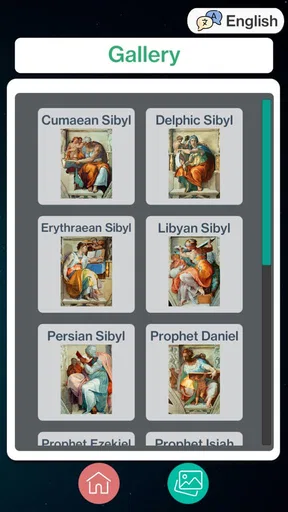
The main attraction of the app is, of course, the Sistine Chapel itself. You can zoom in and out, exploring every detail of Michelangelo’s iconic frescoes. The image quality is impressive, and the app does a wonderful job of preserving the depth and richness of the original artwork. If you've ever wanted to see every brushstroke and color gradient, this app delivers.
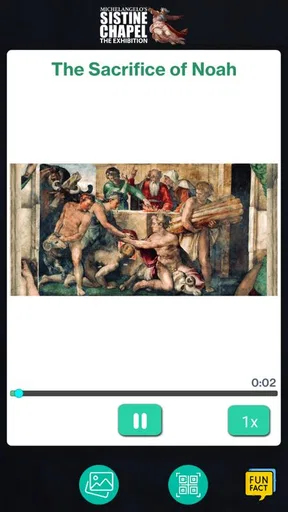
What makes it even more fascinating is the interactive element. Tapping on different sections of the ceiling reveals detailed information about the artwork. You can learn about each scene, the techniques Michelangelo used, and even some fun facts about the creation process. It's like having a personal tour guide, but without the crowds and the travel fees!
Diving Deeper Into Art History
If you’re an art history buff—or even if you’re not—the app offers a treasure trove of information. There are articles and notes that delve into the history of the Sistine Chapel, Michelangelo’s life, and the cultural context of his work. You can spend hours just absorbing the wealth of knowledge available.
One of my favorite features is the timeline. It allows you to explore events surrounding the creation of the Sistine Chapel, providing a broader perspective on its significance. The app does a great job of blending education with entertainment, keeping you engaged throughout.
User Experience and Accessibility
Now, let’s talk about usability. The app runs smoothly on most devices, and I didn’t encounter any bugs or crashes. It’s optimized well for both phones and tablets, but I'd recommend using a larger screen to fully appreciate the artwork. The app also supports multiple languages, making it accessible to a global audience.
For those with visual impairments, the app includes accessibility features such as voiceover descriptions and adjustable text sizes. It’s clear the developers have put thought into making the app inclusive for all users, which is always a commendable effort.
Who will get the most from it?
I’d recommend this to visitors who want a more deliberate encounter with the exhibition, and to curious learners who enjoy zooming in on art and then reading about what they see. It may also suit someone planning a cultural outing with a friend: one person can choose a section, the other can look for the details that stand out, and the guide can give them shared context to discuss afterward.
It is less suitable if you want a regularly updated calendar of many events, a broad museum directory, or a complete course in Renaissance history. The app’s identity is tied to one exhibition and one major artistic subject. That focus is useful when it matches your plans, but it naturally limits how often it will be relevant once your interest moves elsewhere.
A common practical question is whether it makes sense to install it if you are not attending the exhibition. I think it can, if your aim is to explore the Sistine Chapel imagery and learn at your own pace. If you only want a quick fact or two, however, a short article or a general reference may be faster. The app is more appealing to someone who wants to spend time with the material rather than dip in once and move on.
Cost, fit, and a realistic expectation
The app is free, has an Everyone age rating, and has reached over 50,000 installs. Its average rating is 3.3 from 106 ratings, with 21 written reviews. I take that as a reason to approach it with measured expectations rather than assume every visitor will find the experience equally smooth or compelling. It is currently version 3.0.0, and it requires Android 7.0 or later.
For a realistic day out, imagine opening the guide on the way to the exhibition, using it to choose a few points of interest, then putting your phone away while you look. Later, you can revisit the explanations to clarify a detail that stayed with you. This rhythm keeps the app in a supporting role. I would not plan a visit around reading every screen, especially if the space is busy or you are there with someone who would rather simply look.
One limitation of any phone-based art companion is the divided attention it creates. Reading on a small screen can interrupt the act of looking, and a device cannot recreate the physical scale of the work. A larger screen may help when exploring at home, but it is not the same as standing before the art. I’d use the app to prepare, interpret, and remember—not as proof that an in-person encounter is unnecessary.
Final Thoughts
Overall, SEE's Michelangelo's Sistine is a beautifully crafted app that brings the magic of the Sistine Chapel to your fingertips. Whether you’re an art enthusiast or just someone looking to explore something new, this app offers an engaging and educational experience. The attention to detail and the wealth of information make it a standout choice for anyone interested in art and history.
So, if you’re ready to embark on a journey through one of the world’s most famous artworks, give this app a try. It’s like having the Sistine Chapel in your pocket, waiting to be explored whenever you have a moment to spare.
My bottom line is that I’d recommend it as a focused extra for someone curious about the exhibition, especially if they enjoy learning by looking closely rather than skimming a general summary. I would not recommend it as a replacement for a full museum guide or a broad art-history resource. Used selectively, it can make a visit feel more informed; used as the whole experience, it risks putting the screen between you and the artwork.
Pros
- Stunning high-resolution imagery.
- Detailed historical context provided.
- User-friendly navigation interface.
- Includes interactive features.
- Offline access available.
Cons
- Requires significant storage space.
- Limited customization options.
- Occasional app crashes reported.
- No multilingual support available.
- Frequent ads can be intrusive.
FAQs for SEE's Michelangelo's Sistine
What is SEE's Michelangelo's Sistine app about?
SEE's Michelangelo's Sistine app offers an immersive experience of Michelangelo's Sistine Chapel artwork. It provides high-resolution images and detailed descriptions of each section. Users can explore the chapel virtually, learning about the history and significance of Michelangelo's masterpieces with an educational and interactive approach.
Is SEE's Michelangelo's Sistine app available on both Android and iOS?
Yes, the app is available for download on both Android and iOS platforms. Users can easily find it on the Google Play Store for Android devices and the Apple App Store for iOS devices. Compatibility with most smartphones and tablets ensures a wide range of accessibility for art enthusiasts.
Does the app require an internet connection to function?
An internet connection is needed for initial download and setup, as well as to access any live features or updates. However, once the content is downloaded, users can enjoy the app offline. This feature is particularly useful for those who wish to explore the Sistine Chapel without interruptions.
Are there any in-app purchases or ads within the app?
SEE's Michelangelo's Sistine app is free to download with optional in-app purchases. These purchases might include additional content, such as detailed guides or exclusive insights. The app is designed to minimize ads, ensuring a smooth and uninterrupted exploration experience for users.
How educational is SEE's Michelangelo's Sistine app for users?
The app is highly educational, offering in-depth information about each artwork in the Sistine Chapel. It includes historical context, artistic techniques, and interpretations. Ideal for students, teachers, and art lovers, the app transforms learning into an engaging visual journey, making it a valuable educational tool.


